
Business Intelligence Tools Overview
Your guide to understanding the software platforms and tools that transform raw data into actionable business insights
What Are Business Intelligence Tools?
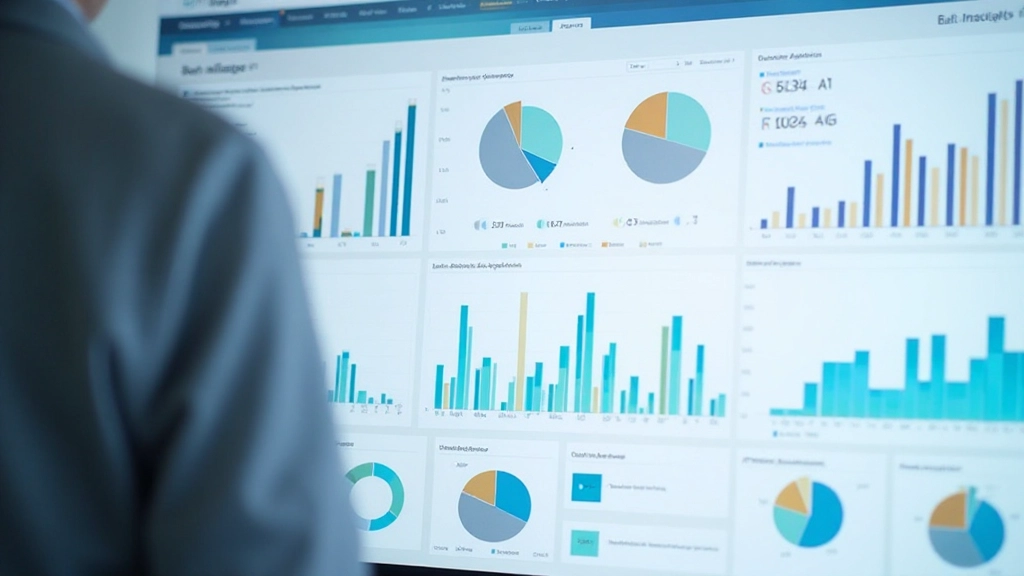
Business intelligence (BI) tools aren't magic—they're practical software designed to help companies collect, organize, and understand their data. Whether you're managing inventory, tracking sales, or analyzing customer behavior, BI tools do the heavy lifting. They pull data from different sources, clean it up, and turn it into dashboards and reports that actually make sense.
The right BI tool can save your team hours of manual work. Instead of wrestling with spreadsheets, you're looking at clear visualizations that tell you exactly what's happening in your business. Most organizations use a combination of tools—some for data collection, others for visualization, and still others for storage and analysis.

Main Categories of BI Tools
BI tools fall into several distinct categories, each serving different purposes in your data workflow
Data Warehouses
Centralized storage systems that collect and organize data from multiple sources. They're the foundation where all your data lives. Think of them as organized libraries—everything's filed in the right place so you can find it quickly.
Visualization Tools
Software that turns numbers into visual formats—charts, graphs, maps, and dashboards. These tools make data accessible to everyone, not just analysts. You're seeing patterns in seconds instead of hours.
ETL Platforms
ETL stands for Extract, Transform, Load. These tools pull data from different systems, clean it up, and move it where it needs to go. They're essential for keeping your data accurate and up-to-date across platforms.
Analytics Platforms
These dig deeper into data with statistical analysis, predictive modeling, and advanced calculations. They help you understand not just what happened, but why it happened and what might happen next.
Self-Service BI
Tools that let non-technical users create their own reports and dashboards without waiting for IT. They're designed to be intuitive—drag-and-drop functionality instead of complex coding.
Reporting Tools
Software focused on creating structured reports and distributing them to stakeholders. They're perfect for regular business reports—quarterly reviews, monthly summaries, performance metrics.
Popular BI Tools You'll Encounter
Here's the reality: there's no single "best" BI tool. What works for a startup doesn't necessarily work for an enterprise company. Your choice depends on your budget, team skills, and specific needs. That said, some tools have become industry standards because they're reliable, powerful, and relatively accessible.
Power BI
Microsoft's cloud-based platform integrates seamlessly with Excel and other Microsoft products. It's popular in enterprises because many companies already have Microsoft licenses. The learning curve is moderate—if you know Excel, you're halfway there.
Tableau
Known for its exceptional visualization capabilities. Tableau makes it genuinely easy to create stunning, interactive dashboards. It's not the cheapest option, but companies love it because their dashboards actually look professional and users engage with them.
Google Analytics
If you've got a website, you've probably seen this one. It's free, tracks user behavior, and provides decent insights into traffic patterns. Most small businesses start here because it's accessible and doesn't require complex setup.
Looker
Google's enterprise BI platform. It's sophisticated and works well for organizations that need embedded analytics. It's not beginner-friendly, but it's powerful once you understand it.
Qlik Sense
Offers associative analysis—you can explore relationships between data points in ways other tools don't easily allow. It's excellent for complex analysis, though the interface takes getting used to.


Getting Started with BI Tools
Implementing a BI solution doesn't have to be overwhelming. Most organizations follow a structured approach. You'll start by identifying what questions you need answered, then choose tools that can handle your data volume and complexity.
Define Your Goals
What decisions do you need to make? What metrics matter? Be specific. Instead of "understand our sales," aim for "track weekly sales by region and product category."
Assess Your Data
Where does your data live? In databases, spreadsheets, cloud services, or scattered across multiple systems? Understanding your data landscape helps you choose the right tools.
Select Your Tools
Consider budget, team expertise, integration needs, and scalability. Start with a tool that solves your most pressing problem. You can always add more later.
Build & Test
Start small with a pilot project. Create your first dashboard, verify the data accuracy, and gather feedback from actual users before rolling out broadly.
Why Organizations Use BI Tools
The benefits go beyond just having prettier reports
Faster Decision-Making
Decisions that used to take weeks now happen in hours. You're working with current data instead of month-old reports.
Better Visibility
Everyone sees the same data, same definitions, same metrics. It's harder for teams to have conflicting versions of the truth.
Spot Trends Earlier
Dashboards make patterns visible. You'll catch problems before they become crises and opportunities before competitors do.
Automate Reporting
Stop creating the same reports manually. Set it once, run it automatically. Your team has time for actual analysis instead of data entry.

Key Takeaways
Choose Based on Your Needs
There's no universal "best" tool. What matters is finding something that fits your data sources, team skills, and budget. Start with your biggest pain point and build from there.
Data Quality Matters Most
The fanciest tool won't help if your data is messy or unreliable. Invest in clean data and proper data governance before worrying about advanced features.
Start Small, Scale Gradually
You don't need to implement everything at once. A successful pilot project builds confidence and helps you understand what actually matters to your organization.
Ready to Explore BI Tools?
Understanding the landscape is the first step. Many of these tools offer free trials or freemium versions. The best way to learn is hands-on experience with your own data.
Explore More ArticlesEducational Disclaimer
This article provides general educational information about business intelligence tools and their purposes. The information presented is intended to help you understand the landscape of BI solutions. Specific tool recommendations, pricing, and feature availability change frequently. We encourage you to research current options, compare free trials, and consult with IT professionals when selecting tools for your organization. Your specific needs, data infrastructure, and team capabilities will determine which tools are most appropriate for your situation.